iPhone 3G 3GS Hardware Problem Solution

iPhone 3G 3GS Hardware Problem Solution - The way you uncover all the iPhone 3G and 3GS problem with helpful pictures indeed.

Locate your lost and stolen computer

This is a trick to locate your lost or stolen computer if you face no more solution at all.

The Beauty of Mathematics

See how the Mathematics works with all the awesome numbers.

How To Enable Windows 7 Hidden Features

In windows 7, it has 5 features that are hidden. These features are completely come in handy for user.

How to open Office 2007 Files within MS office 97, XP and 2003

Alike to the conventional “.doc” files, “.docx” format consists of the supplementary formatting information as well as offers a compressed or in other words, it offers slighter size of the file.

GreenPois0n and Redsn0w Jailbreak Source Code is Going to be Open Source


Here's some great news for jailbreak lovers! GreenPois0n and Redsn0w jailbreak tools will be open sources for all people for free. This means that you will be able to use the source and customize it on your own or may be improve it to make it better than before while adding some interface and designs to the tool. This was confirmed by both iPhone and Chronic Dev Teams.

MuscleNerd of iPhone Dev Team posted on his Twitter account:
@Chpwn redsnow will be open source soon :)
Also p0sixninja of Chornic Dev Team confirmed that GreenPois0n will go open sourced:
p0sixninja: Greenpois0n components will be updated/open sourced as soon as it’s out of beta.
In case you don't know, GreenPois0n was released early this month based on Limera1n's exploit. Jailbreak iPhone 4, 3GS, iPad and iPod touch using GreenPois0n.
While Redsn0w is used to jailbreak iPhone 3G and iPod touch 2G on iOS 4.1 and it supports iOS 4.2 beta. Jailbreak iPhone 3GS, and iPod touch 2G using the latest version 0.9.6 of Redsn0w.

How to: Unlock iPhone 3GS on iOS 4.1 Using Ultrans0w


After releasing the new iOS 4.1, we showed you yesterday how to jailbreak your iPhone 3GS running iOS 4.1 using PwnageTool method, today I will show you how to unlock your iPhone 3GS on iOS 4.1 with ultrasn0w to use it with any carrier.

STEP 1: You should have a jailbroken iPhone 3GS on iOS 4.1 using PwnageTool ONLY, you can follow the step by step guide to jailbreak iPhone 3GS on iOS 4.1 posted here.

STEP 2: After Jailbreaking, Navigate to Cydia Source by Going to Cydia --> Manage --> Sources.

Download iOS 4.1 Custom Firmwares iPhone 4 / 3GS / 3G


STEP 1: Download the iOS 4.1 custom firmware for your device at the end of the page. Also download and install iTunes 10.

STEP 2: Join the splited custom firmwares you downloaded using BetterZip for Mac OS X or HJSplit for Windows to make them only one .IPSW file.

STEP 3: Start iTunes and put your iPhone into DFU mode by following this steps:
  • Hold Power and Home buttons for about 10 seconds
  • Then release the Power button but without releasing the Home button for 10 more seconds
  • Your device should now be into DFU mode

STEP 4: Now, You will have to restore your iPhone to the jailbroken custom firmware by Clicking on the iPhone icon on the left sidebar of iTunes then hold left “alt” button (“Shift” button on Windows) on the keyboard and then click on “Restore” then release the alt button, now Select the custom firmware you already download and let iTunes go in a bunch of process.

STEP 5: After your iPhone is restored and jailbroken successfully. Follow our guide posted here to unlock iPhone 4, iPhone 3GS and iPhone 3G using Ultrasn0w carrier unlock.

iPhone 4 Custom Firmware, Activated [File 1, File 2, File 3]
iPhone 3GS Custom Firmware, Activated [File 1, File 2]
iPhone 3G Custom Firmware, Activated [File 1, File 2]

Firmware Changer Lets You Change Your Firmware Version to iOS 4.1 Without Updating


If you care about changing your iOS version visually on your iPhone for some reason, then you can useFirmware Changer instead of editing .plist files and making a complicated process. Firmware Changer will not let you update to iOS 4.1 but it will fake to be on iOS 4.1 or any other version.


You may want to change your firmware changer so that iTunes doesn't annoy you with the update message or may be to install some app that works only on iOS 4.1. Anyway, Firmware Changer is a free tweak available in Cydia via ModMyi repository.

Jailbreak iOS 4.1 on All Devices with PwnageTool 4.1 [GUIDE]


STEP 1: Download & install the latest version of iTunes & make sure your device is not on iOS 4.1 (links at the bottom).

STEP 2: Start iTunes, connect your device to your computer via USB and sync your iPhone then back your data.

STEP 3: Start PwnageTool and select your devices (iPhone 4 used in this guide).

Untethered Jailbreak Guaranteed for All Future Firmwares on iPhone 4, iPod Touch 4, iPad and Apple TV 2G

Think we’ve figured out a way to extend PwnageTool+limera1n+@comex hacks to untethered JBs for all future A4 firmwares :)
Thanks Dev-team for hard work and the guarantee of having untethered jailbreaks for life time. So that Apple will not be able to patch them if it did not upgrade its A4's hardware. We did not catch more news but we let you informed with all immediate updates, Stay tuned.

TinyUmbrella 4.1.8 Released with Numerous Features

TinyUmbrella lets you save SHSH blobs to be able to downgrade your iOS device to older firmware.
Here's the full changelog of TinyUmbrella 4.18:

Totally redesigned UI for all platforms (inspired by chpwn refined by me)
- Original artwork by iOPK of Chronic Dev Team
- Spinny Icon code (thanks to technomage)
- Quaqua look and feel (sorry mac only due to license restrictions)
- Much cleaner look and feel all around

Known Devices!
- Now all devices detected by TinyUmbrella are saved for future use!
- You can remove them as well (Right click -> delete from history)
- You can save SHSH with known devices as well (No more requirement for the device to be connected)
- Recovery Devices
- If you connect a device in recovery mode you can still kick it out of recovery (Right click -> Kick out of recovery)

Save SHSH now saves ALL SHSHs available at Cydia with one button press!

Preferences
- Change SHSH save directory

Proxies (Web and Socks) for those that need them!

Better port 80 detection.
With TinyUmbrella, you can upgrade your iPhone 4 ONLY to iOS 4.1 while preserving your baseband and saving your carrier unlock.

Download TinyUmbrella 4.1.8 for Mac, Windows, Linux

Limesn0w Unlock Tool Will Never be Real !

A few days ago we had hopes when we reported you about the Limesn0w unlock tool which was expected as a new surprise from Geohot to unlock basebands 05.14.02 and 02.10.04 on iPhone 3GS and iPhone 4G on iOS 4.1, but now Geohot cut in any doubt, when he announced that Limes0w unlock tool will never be real in hislimesn0w.com website.
This will never be real. Media, understand it. ~geohot
So that, if you see any picture or video claiming the unlock of those basebands by limesn0w, they are completely fake.

We have no choice but waiting the new unlock from the Dev-team, for who don't know, the unlock for the above mentioned basebands will be released after iOS 4.2 official release by November.

Download Greenpois0n for Mac OS X to Jailbreak iOS 4.1 on iPhone 4, 3GS, iPod Touch 4G, 3G and iOS 3.2.2 on iPad

A new version of Greenpois0n for Mac OS X has been released. For who don't know, Greenpois0n is untethered jailbreak for iOS 4.1 on iPhone 4/3GS, iPod touch 4G/3G and iOS 3.2.2 on iPad. Now we have the both jailbreaks (i.e. Greenpois0n and Limera1n) compatible with Mac.
For Windows and Linux users, there are already Greenpois0n versions compatible with the both OSs, you can get the download links and step by step guides to jailbreak iOS 4.1 iPhone 4/3GS, iPod touch 4G/3G and iOS 3.2.2 on iPad from here. As usual the guide for Mac users will be ready very soon. Sty tuned.

Download Greenpois0n for Mac OS x

Download Greenpois0n to Jailbreak iPhone 4, iPod touch 4G on iOS 4.1 and iPad on iOS 3.2.2


Greenpois0n supports the following devices:
  • iPhone 4
  • iPhone 3GS
  • iPod touch (4th Generation)
  • iPod touch (3rd Generation)
  • iPad
For those of you who don’t know, GreenPois0n is based on a low-level bootrom exploit used by Geohot in Limera1n tool which Apple won't be able to patch with a new iOS firmware; instead, they will have to introduce a new hardware for the current devices to close the loophole. That means all existing 4th-generation devices now can be jailbroken forever thanks to GreenPois0n! We will be back with quick how-to guides soon, stay tuned for that !!


  • iPhone 4/3GS on iOS 4.1
  • iPod touch 4G/3G on iOS 4.1
  • iPad on iOS 3.2.2

Download GreenPois0n for Windows [Mac OS X version is not available yet]
Download GreenPois0n for Mac
Download GreenPois0n for Linux 

Create Free iPhone Ringtones with iTunes [How to Guide]


After we enjoyed the Greenpois0n and Limera1n jailbreaks with our idevices, I will add another flavor to your iPhone as I asked a lot about how to create personalized ringtone (e.g. a part of your favorite song) by the latest version of iTunes throw a simple few steps.


STEP 1: Download iTunes 10 from here.

STEP 2: Setup iTunes 10 then launch it.

Jailbreak iPad iOS 3.2.2 with Greenpois0n [How to Guide]


Few hours ago Chronic dev has unveiled the long overdue Greenpois0n jailbreak for iPhone 4 and iPod touch 4G on iOS 4.1 and iPad on iOS 3.2.2, as usual we prepared for you the how to guide to jailbreak your iPad on iOS 3.2.2 with Greenpois0n jailbreak.

STEP 1: Download Greenpois0n jailbreak [Only for Windows]

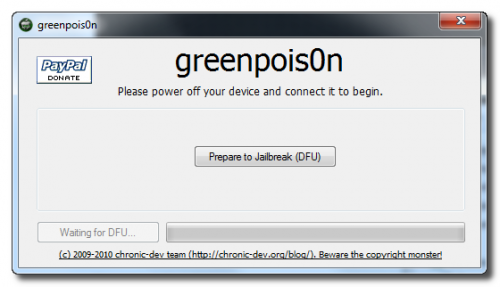
STEP 2: Connect your iPad to your computer via USB then Launch Greenpois0n jailbreak application and hit "Prepare to Jailbreak (DFU)" button.
STEP 3: Follow the steps shown on the next screen shots to put your device in DFU mode.
  • Now you have to press and hold the sleep button for 2 seconds.
  • Continue holding sleep, then press and hold home for 10 seconds.
  • Now release sleep button but keep holding home for 15 seconds.
STEP 4: Your device is now ready for jailbreak , now hit "Jailbreak" button.
STEP 5: Now your device is being jailbroken.

Download iOS 4.2 Beta 3 for iPhone, iPod touch and iPad


Apple has just pushed iOS 4.2 beta 3 for developers. In case you don't know, this beta build, like all the previous betas is for developers only. Only members enrolled in the iPhone Developer Standard or Enterprise Program can access these betas of by signing into Apple Developer Connection. We will keep updating with all features, stay tuned.

Now beta 3 is available, iOS 4.2 should go for public on November.

Download iOS 4.2 Beta 3 for iPhone, iPad, iPod touch and SDK.

UPDATE 1: Here's what's new in iOS 4.2 Beta 3:
  • iOS 4.2 beta 3 comes with lots of improvements and bug fixes makes the system faster and the animations smoother. The multitasking is working very fast and apps are faster than ever.
  • Finally Apple has added new and wonderful SMS ringtones.
  • For iPad users, now you can enable & disable alert sounds for New Mail, Sent Mail, Calendar Alerts, Lock Sounds, Keyboard Clicks
    • No more AirPlay! The AirPlay button which appeared in the previous betas is now gone. This may be a temporary removal, and we could see it return in the final builds.
    • Here's the new icon of AirPrint that allows you to print pictures & screenshots from your iPhone. The new icon is called "Print Center".
    Did we missed something? Feel free to leave us your tips & thought about the new iOS 4.2 beta 3 in the comment section below.

HOW TO: Jailbreak iOS 4.1 on iPhone 4, 3GS, iPad, iPod touch 4G / 3G on Mac

NOTE: If you are using Ultrasn0w to unlock your carrier, then don't use the instructions below as the unlock for new basebands is not available yet. For iPhone 4 users, use the instructions posted here to preserve your baseband. For other devices, wait for PwnageTool to be released this weekend.


STEP 1: Download Limera1n for Mac OS X from here.

STEP 2: Connect your iPhone to your PC via USB then launch Limera1n and hit “make it ra1n”
STEP 3: You will have to get your device into DFU mode by following the steps on the screen shown by Limera1n.

GeoHot's Bootrom Exploit Ported into PwnageTool; Coming on Sunday


iPhone Dev Team member wizdaz has announced the port on his Twitter account few hours ago:
ported new geohot's bootrom exploit into PwnageTool
So, PwnageTool now may work on iPhone 4, iPhone 3GS (both old and new bootroms) and iPhone 3G. You will be able to create custom firmware using the new version of PwnageTool and be able to unlock your iPhone carrier using Ultrasn0w via Cydia. We will keep you updated, stay tuned!

Jailbreak iOS 4.1 on iPhone 3GS and iPod Touch 3G will Arrive After iOS 4.2 Official Release


It may be real! Geohot may surprise us (again!) with a new unlock solution for iOS 4.1 on iPhone 4, iPhone 3GS and iPhone 3G using Limesn0w. The video below shows iPhone 3GS running iOS 4.1 on baseband 05.15.01 unlocked using Limesn0w solution via Limera1n jailbreak which was released two days ago. It would be a real surprise.

Of course there's a lot of users have updated to iOS 4.1 and now their devices on baseband 05.15.01 or 02.10.04 which is not unlockable at the moment. So Geohot may really surprise us Limesn0w.


The domain http://limesn0w.com is registered by Geohot, the same info as http://limera1n.com but the site indicates that "This will never be real.", you know, surprises! Geohot didn't say any word about that, we'll keep you updated at any update happens.

LiveClock Brings Animated Clock App on Your HomeScreen


LiveClock is a new tweak available in Cydia brings customizable live animation to clock icon on your HomeScreen. You will be able to see pointers moving on your Sprigboard live, the tweak also includes a few extra themes for use with Winterboard and it supports iOS 4.x.
LiveClock is available for free via BigBoss repository. Some users are reporting issues with it but I personally think that it works great! [via FSM]

Limera1n and GreenPois0n: Let's Clean Out What's Going on!


For people wondering about the difference between iBoot and bootrom exploits, Geohot found this vulnerability a while ago when both iBoot and bootrom contained the code that made them vulnerable. Apple noticed that iBoot contained a bad code so they fixed it in iBoot not in bootrom. Geohot noticed that Apple will fix bootrom exploit in the next generation devices by full hardware revision so he made the right decision by releasing Limera1n tool before Chornic Dev Team. Just to save SHAtter exploit for 5th-generation devices as iPhone 5 or iPad 2.

You may say, "Why didn't Geohot save his exploit for 5th-generation devices?". Well, Geohot's exploit works on all devices not as SHAtter which works on A4 devices only, so it was better to release Limera1n and save SHAtter.

Now, GreenPois0n & Limera1n tools are both based on the same exploit, so there's not any difference in both the tools, don't ask me which is better? I prefer using Limera1n but in case you faced some errors so go ahead and try GreenPois0n.

For people asking about Mac OS X version of both tools, there will be a Mac version of GreenPois0n but not in Limera1n as Geohot's site claims it will be available in 7 years (blah!). Also, iPhone Dev Team is working on PwnageTool for Mac OS X coming out this Sunday (as usual) and will support Apple TV.

Unlock? No, there's no unlock yet for baseband 05.14 and 02.10 and will not be before iOS 4.2 final release which is scheduled early in November. Hackers as Sherif Hashim has mostly finished the hard steps and MuscleNerd confirmed that ultrasn0w update will be available after iOS 4.2 release. So, for all iPhone 3GS, 3G unlockers, stay away from upgrading to iOS 4.2 (iPhone 4, use this guide) or you will not be able to unlock except after at least one month.

Unlock Baseband 05.14.02 / 2.10.4 After iOS 4.2 [CONFIRMED]


After you have enjoyed your jailbreak with lime flavor by limera1n jailbreak on iPhone 4/3GS , iPod touch 4G/3Gand iPad on iOS 4.0/4.1 and 3.2.2, most of you are asking eagerly about the unlock for basebands 5.14.02 and 2.10.4, today we have a significant progress on this matter, as Sherif Hashim has just sent a tweet announcing that he succeeded on 1st step on both sides.

since nearly all my received tweets ask about both BB, I can report very early "initial" 1st step success on both sides, calmed down? :)
A new exploitable baseband crash has been found. An unlock will very likely be released after iOS 4.2 and will unlock both BB's of 4.1 & 4.2
And now Veeence is mentioning the discovery of new exploitable baseband crash, and confirming again about ETA for the unlock which is very likely be released after iOS 4.2 official release by November, so that it will be able to unlock both basebands of iOS 4.1 and 4.2.

In the meantime, you can update to iOS 4.1 with preserving your baseband using TinyUmbrella, see guide posted here, and then you have to follow our guide to jailbreak your iPhone 4 and 3GS on iOS 4.1 using limera1n jailbreak in this post. Now you will be able to unlock your iPhone 4/3GS using ultrasn0w.